A ring you can read at a glance
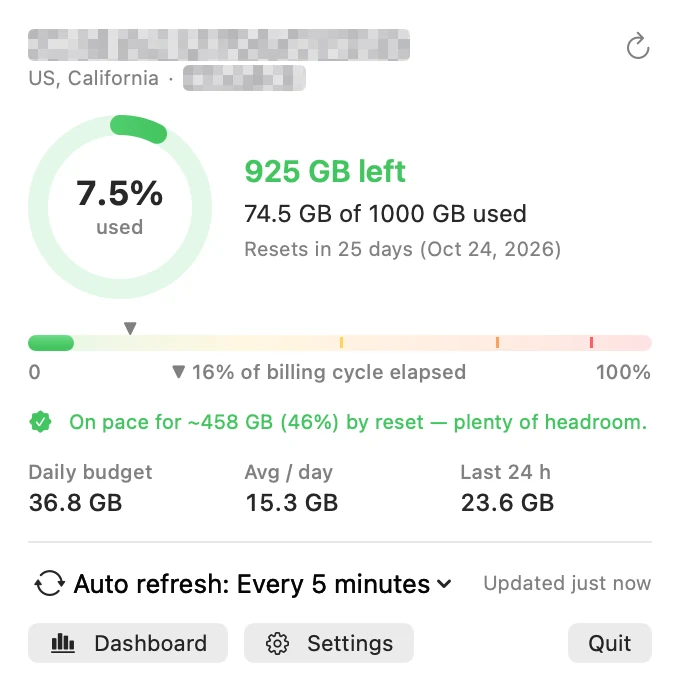
The menu bar shows a colored ring plus % used, GB left, GB used, or nothing at all. Left-click for the quick panel, right-click for Refresh, Dashboard, Settings and more.

Your BandwagonHost data transfer, always in view
Coming soonv1.1.0macOS 14+Universal
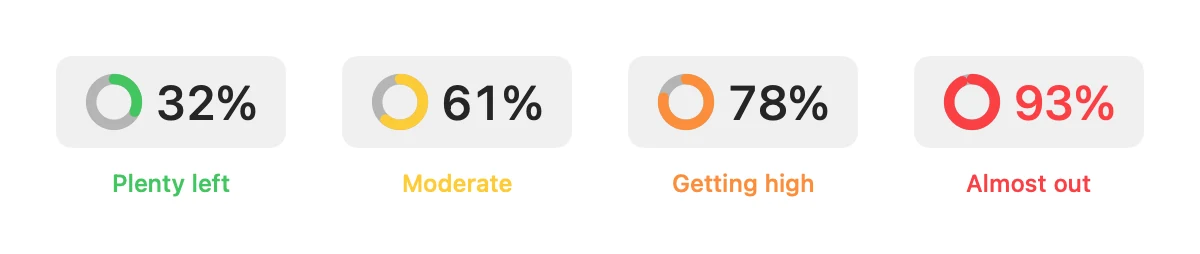
Stop logging into KiwiVM to check how much bandwidth is left. BWH Monitor sits in your Mac’s menu bar with a ring that changes color as you use data: green means plenty left, yellow and orange mean slow down, red means you’re close to the limit.
Features
Built for people who run a BandwagonHost VPS and don’t want surprises at the end of the month.
The menu bar shows a colored ring plus % used, GB left, GB used, or nothing at all. Left-click for the quick panel, right-click for Refresh, Dashboard, Settings and more.
See where you’ll land at reset at your current pace, how much you can use per day until then, and how much went out in the last 24 hours.
Add as many percentage thresholds as you like. Each alerts once per billing cycle, as a macOS notification or an optional pop-up with sound.
Switch between this cycle and the last 30 days, with inbound and outbound traffic shown separately.
Refreshes every 5 minutes by default. Pick any number of minutes, or turn it off. It catches up after your Mac wakes from sleep.
Enter your VEID and API key once. They’re checked against the API before saving, stored only on your Mac, and sent only to api.64clouds.com.
Menu bar
The ring changes color as your usage climbs, so a glance at the menu bar tells you whether to keep going or slow down. Prefer numbers? Show % used, GB left or GB used next to it.
Dashboard
A usage ring, a quota bar with a marker for how much of the cycle has passed, reset countdown, projected usage at reset, daily budget, last 24 hours, and a daily chart, all in one window.
Guide: how BandwagonHost counts your data usage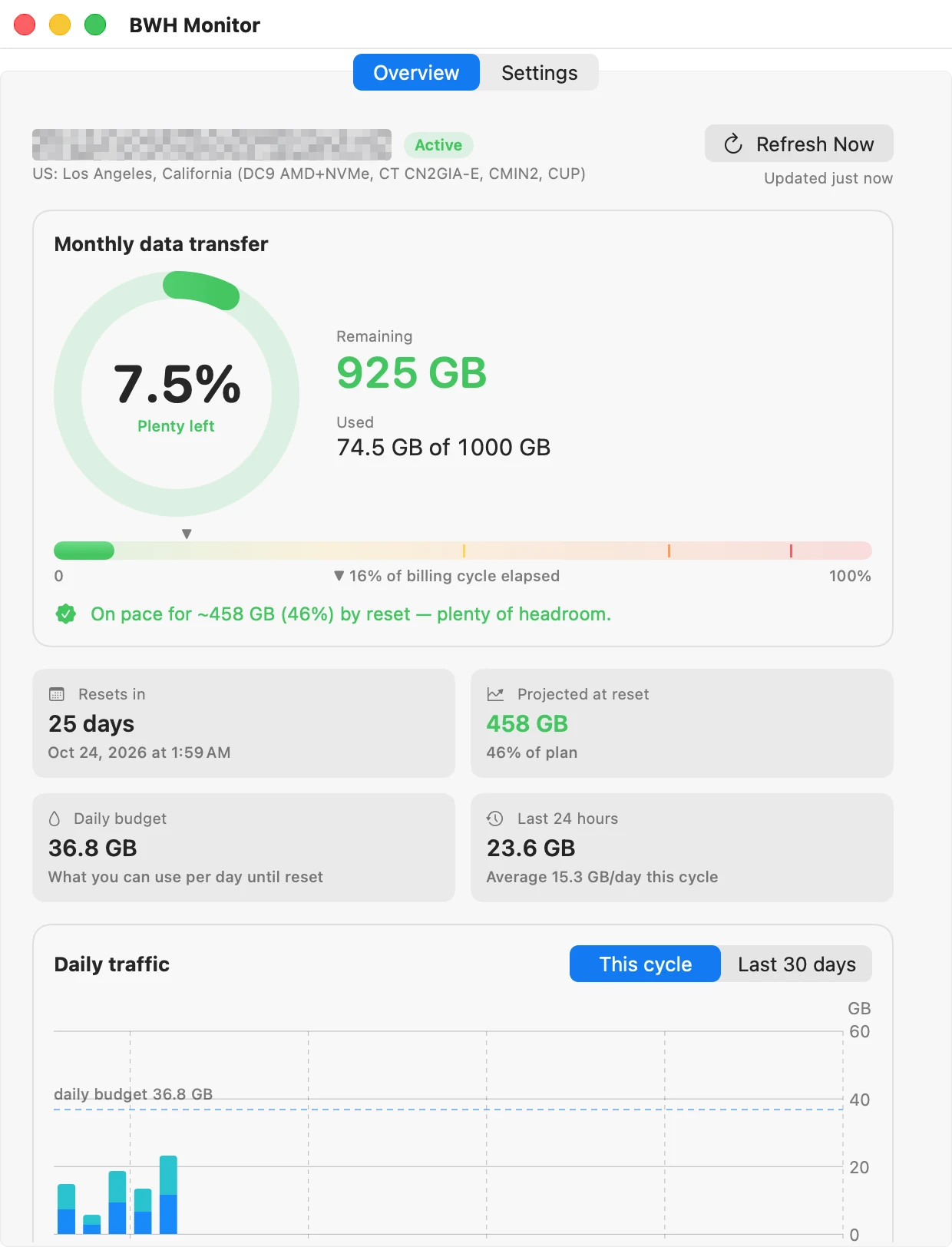
Specs
FAQ
Sign in to KiwiVM, your VPS control panel, and open API in the left menu. Click Generate if you don’t have an API key yet, then copy the VEID and API key into BWH Monitor.
It’s stored only on your Mac and sent only to BandwagonHost’s own API (api.64clouds.com) to read your usage. Nothing is sent to BitColossus. The key gives full control of your VPS, so treat it like a password and regenerate it in KiwiVM if it ever leaks.
The same way BandwagonHost counts it: inbound plus outbound traffic, including your plan’s data multiplier, straight from the API. Sizes use the same binary units the KiwiVM panel labels “GB”, so the numbers match.
BWH Monitor watches one VPS at a time. You can switch to another server in Settings by connecting a different VEID and API key.
No. BWH Monitor is an independent app made by BitColossus. It is not affiliated with BandwagonHost or IT7 Networks.
Blog
Three ways to check your BandwagonHost VPS's monthly data transfer: the KiwiVM panel, the 64clouds API with curl, and a Mac menu bar monitor.
Your BandwagonHost data transfer, always in view
All apps
Not affiliated with BandwagonHost or IT7 Networks. BandwagonHost and KiwiVM are trademarks of their respective owners.