

Now Playing that works
Artwork, a scrubber you can drag, and previous / play / next for any app and any browser, on macOS 15.4 and later too. If the system link ever fails, Puffer switches to Music and Spotify by itself.
Puffer
Your notch, puffed up
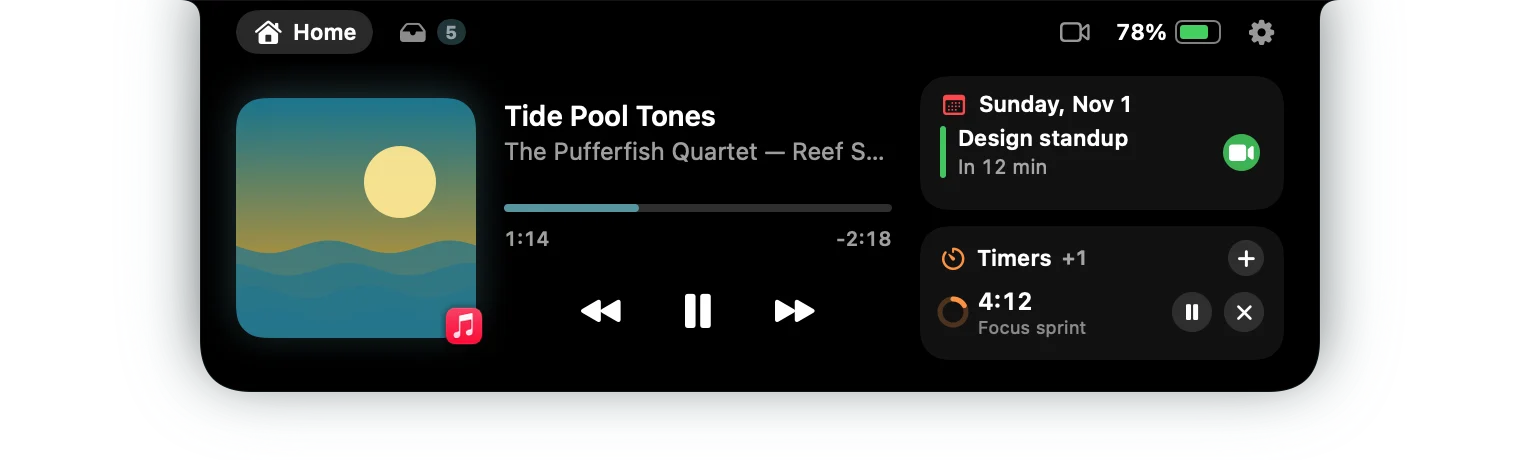
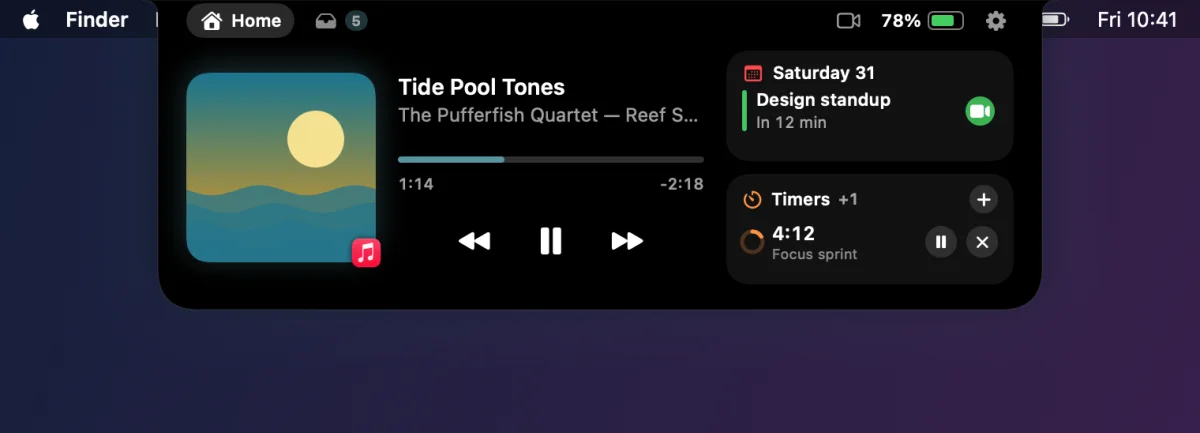
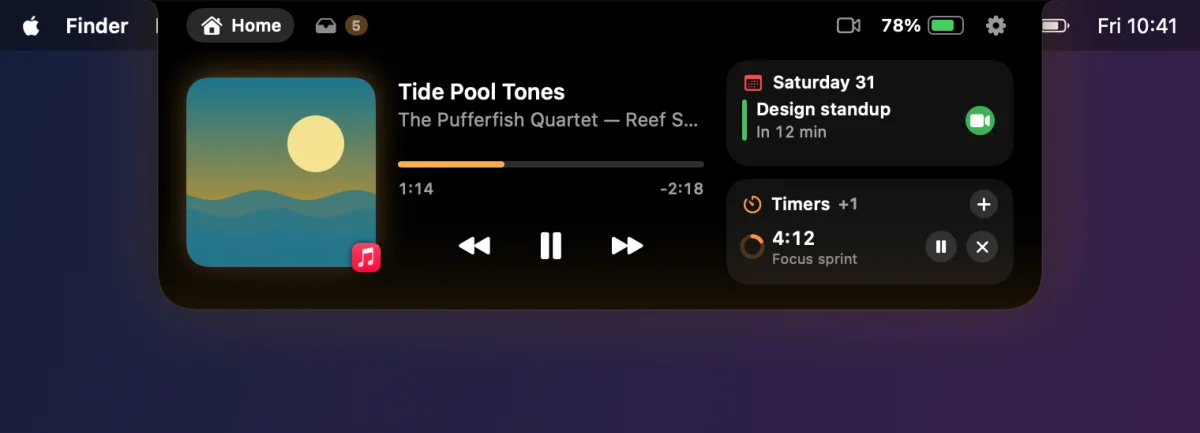
A pufferfish puffs up when it needs to. So does Puffer. Point at the notch, click it or swipe down, and it grows into a small hub: what’s playing, your next meeting, quick timers and a tray for files. Move away and it shrinks back out of your way.
a97af386…191d29$14.99v1.0.1macOS 14+Universal






Point at the notch
Open: what’s playing, your next meeting and your timers.
Why another notch app
Notch apps get the same reviews again and again. Puffer was built from that list.
Features
Everything opens from the notch and gets out of the way when you’re done. Nothing polls in the background.
Artwork, a scrubber you can drag, and previous / play / next for any app and any browser, on macOS 15.4 and later too. If the system link ever fails, Puffer switches to Music and Spotify by itself.
Small and beside the notch: music with an equalizer, timers, charging and low battery, AirPods connected, a meeting about to start, files added, Focus, and dots when the mic, camera or screen recording is on.
Volume, display brightness and keyboard backlight show as wings beside the notch, or drop down below it, instead of the big box in the middle of the screen. Fine steps with ⌥⇧.
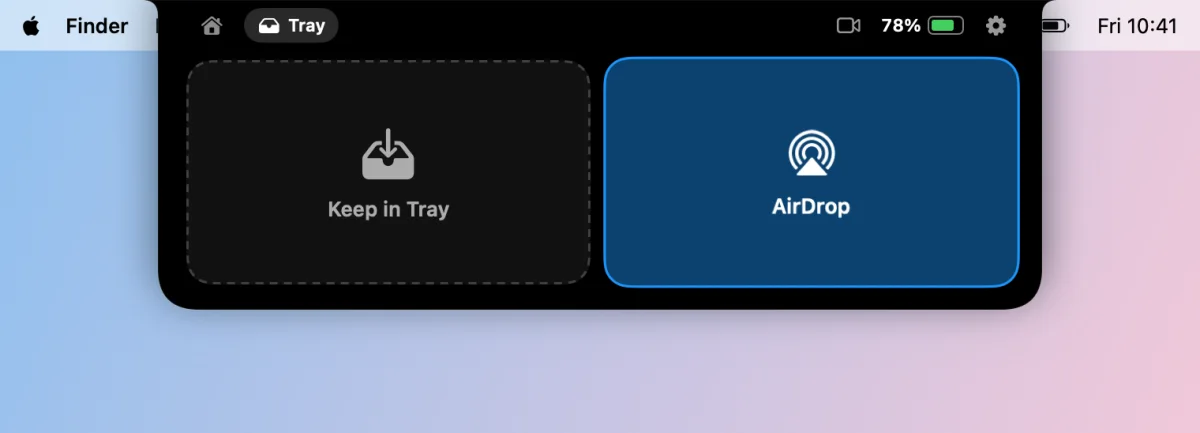
Drop files on the notch to keep them for later, or on the AirDrop side to send them now. Drag them out one at a time or all at once, Quick Look them, undo.
Your next events with Zoom, Meet, Teams, Webex and FaceTime join buttons, and quick timers that understand “7”, “1:30” or “1h 15m”. A camera mirror for before the call.
No notch? Puffer draws a virtual one, with its own width and switch per display. Show it on all displays, the main one, the built-in one, or the one under your pointer.
No notch? No problem
On an external display or a Mac without a notch, Puffer draws a small black island the height of the menu bar. Set its width, hide it until something happens, or turn it off, display by display. Volume and brightness show on the display you’re using.
Drag and drop
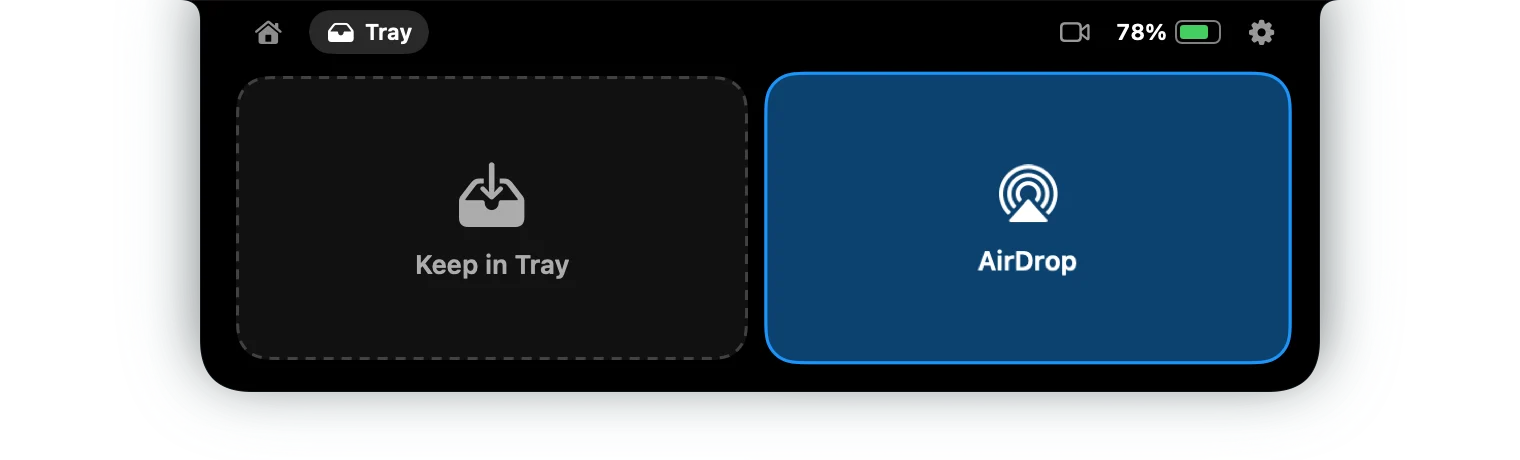
Drag a file to the top of the screen and the island opens with two targets: keep it in the tray for later, or AirDrop it right away. The tray holds references, so your files stay where they are.
Make it yours
Pick a theme, let the accent follow the album artwork, choose one of three sizes, and decide which modules the panel shows. Or keep it black, like the notch.
Specs
a97af3866748b64febe0e291932a6c9725e6ab9df19da01a48969e723d191d29FAQ
Yes. On Macs and external displays without a notch, Puffer draws a virtual one the height of the menu bar. You can set its width, hide it until something happens, or turn it off per display.
Any app or browser that shows up in macOS Now Playing: Music, Spotify, a YouTube tab and so on, including on macOS 15.4 and later. If that ever stops working, Puffer switches to Music’s and Spotify’s own notifications by itself.
Puffer only reacts to events; nothing polls while the island is closed. We measured 0.015% CPU at idle over a minute (M1 Ultra, macOS 27). The animations run at the display’s refresh rate.
Not for long. If menu bar items sit where the virtual notch would be, Puffer stays hidden and lets clicks through, and appears only when you open it, for the HUDs and for short alerts. You can also switch on “Keep the menu bar clear” per display.
For 14 days everything is unlocked. After that, Now Playing and the new HUDs keep working on one display, free. Puffer Pro ($14.99 once) unlocks the tray and AirDrop, calendar, timers, the mirror, all live activities, themes and multiple displays.
Buy a key and paste it into Puffer › Settings › License. Each key works on 3 Macs and includes all 1.x updates. To move it, deactivate it on the old Mac first. Activation needs the internet once; after that Puffer re-checks about once a week and keeps working offline.
Puffer has a free 14-day trial so you can check it works on your Mac first. Because of the trial, purchases are final, except where the law requires otherwise. If something isn’t working, email support@bitcolossus.com with your order number and we’ll help.
Your notch, puffed up
All apps
Stop typing into the wrong window
Turn toward a screen, window or split pane and it already has the keyboard, with the pointer right there.
Keep your Mac awake with one click
A one-switch menu bar app that stops idle sleep during long downloads, builds and presentations.
Your BandwagonHost data transfer, always in view
A menu bar ring that shows how much of your VPS’s monthly data transfer is left, with forecasts and alerts.
Turn off an external monitor without unplugging it
A menu bar switch that disconnects a display from your desktop and brings it back when you need it. Free during the beta.